ベトナム旅行の通信手段は、最安だけで決めると失敗しやすい項目です。現地電話番号が必要か、端末がeSIM対応か、家族で同じ行程か、地方へ行くかで、現地SIM・eSIM・WiFi・日本回線のローミングの正解が変わります。
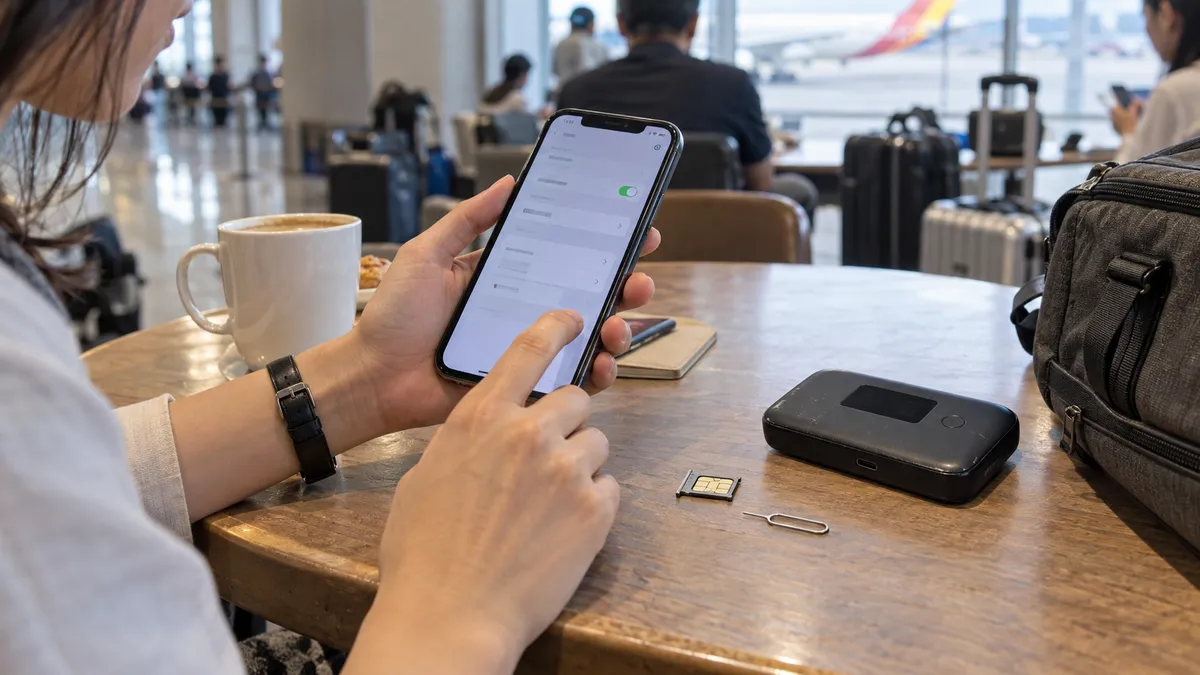
この記事には広告リンクを含みますが、特定サービスの購入を前提にせず、端末・番号・容量・サポートの4軸で比較します。料金、容量、無制限後の速度、楽天モバイルなど日本側の条件は変更されるため、契約画面の当日表示を優先してください。
先に結論:4タイプの選び分け
- eSIM:短期、一人旅、対応端末でデータ中心
- Local SIM:現地番号が必要、長めの滞在、公式店で本人登録できる
- WiFiルーター:同じ行程の家族・グループ。ただし別行動には弱い
- 日本回線の海外利用:少量の予備通信。容量と超過条件を契約先で確認
Conclusion: Which one suits you? A quick chart of recommendations by type
Before getting into the fine comparisons, it's faster to see the conclusion first. Find the type closest to you in the chart below.
| People like this | Recommended | Reason |
|---|---|---|
| 3–7 day short trip, solo travel | eSIM | 事前購入で到着した瞬間に使える。価格はプラン・容量・為替で変動。購入画面で総額と速度制限を確認 |
| Phone doesn't support eSIM, not good with settings | Local SIM (airport) / WiFi rental | You can leave it to the staff; just insert it |
| Long stay of 2 weeks or more, need a phone number | Local SIM (Viettel shop) | Comes with a number, easy to top up, stable connection quality |
| Family or group travel | WiFi rental | One device can be shared by everyone and is cheaper |
| Only light use / already using Rakuten Mobile | Tethering (Rakuten Mobile, etc.) | 契約条件によって海外データ枠を利用可能。最新の容量・超過条件を確認 |
| Working mainly from cafés | Free WiFi + backup connection | Vietnam has plenty of café WiFi. Having an eSIM as backup gives peace of mind |
"Short trip: eSIM; long stay: local SIM; many people: WiFi rental" — think first along these three axes and you won't go wrong. Below we dig into each option.
One more thing to keep in mind is "when you'll need the internet." In Vietnam you'll often use Grab (a ride-hailing app) to get around, and this is a service you'll want to use right after landing at the airport. To move smartly and avoid taxi fare negotiations, ideally you're connected the moment you arrive. That's why, rather than lining up to buy a SIM on the ground, it's better to set up an eSIM in Japan or choose an option you can pick up right in the arrivals lobby, so you don't stumble on your very first ride. Choose your option based on "can I call a Grab the moment I land," and your satisfaction changes greatly.
Short trip: eSIM; long stay: local SIM; large groups: WiFi rental. On top of that, having "a state of being connected the moment you arrive" ready is what separates the satisfied from the frustrated.
Local SIM | Buy at the airport or a Viettel shop (for medium-to-long stays)
A local SIM means using a Vietnamese carrier's line directly. Connection quality is stable and you can have a phone number too, so it suits people staying a long time or using calls or SMS verification locally.
The differences among the big three carriers to know first
Vietnam's mobile lines center on three companies: Viettel, Mobifone, and Vinaphone. When a traveler chooses a SIM, which of these three you use affects quality.
| Carrier | Characteristics | Suited to |
|---|---|---|
| Viettel | The military-affiliated top player. Signal reaches rural areas, mountains, and remote islands. The strongest coverage in the country | People who tour rural areas too, like Ha Long Bay, Sapa, and remote islands |
| Mobifone | Well regarded for high-speed connections in urban areas. Comfortable if you center on Ho Chi Minh City and Hanoi | People whose stay is mainly in cities |
| Vinaphone | Stable in urban areas. A wide range of price plan options | People centered on cities who prioritize value |
For trips with a lot of movement, or an itinerary that ventures a bit beyond Da Nang, it's safe to go with Viettel for its wider signal. Conversely, if you'll spend your time only within the cities of Ho Chi Minh City or Hanoi, there's almost no perceptible difference between the carriers.
Buying at an airport counter (the easiest)
In the arrivals lobbies of Noi Bai International Airport (Hanoi) and Tan Son Nhat International Airport (Ho Chi Minh City), SIM sales counters line up. Show your passport, say "staying X days, lots of data," and they'll insert it on the spot and even complete activation.
The advantage is that it's completely hassle-free. Many counters have staff who speak Japanese or English, so even people uneasy about settings can feel at ease. On the other hand, prices may be set higher than at city shops, and plans tend to lean toward large tourist-oriented packages. It's just right for short-stay travelers who "want to skip all the bother."
Two things to watch on the spot. One: before leaving the counter, always have them let you test that the connection works. If you open a maps app and it loads, you're fine; if it doesn't connect, they can fix it right there. Two: there are time slots, like late-night flights, when the counters are closed. For a late arrival, having an eSIM ready in advance frees you from being at the mercy of your arrival time. Also, depending on the flight, the arrivals lobby can get crowded and lines may form at the SIM counter. If you want to move even a little faster, an eSIM you can set up in Japan still has the edge.
For a late-night flight, the airport SIM counter may be closed. On days with a late arrival, putting in an eSIM in Japan before departure is the sure bet.
Buying at a city Viettel shop or convenience store (cheaper and reliable)
Each carrier has official shops in the city, where you can buy a SIM at calmer prices than at the airport. Being official shops, registration is done properly, and trouble is less likely too. In Vietnam, identity verification at SIM contract time has grown stricter year by year, and in addition to presenting your passport, facial-recognition registration is now required. The latest rules on the procedure are compiled in a separate article 👉 Facial authentication for Vietnamese SIMs — the 2026 new rules and their impact on travelers. At an official shop, staff carry out this registration correctly, so you can feel at ease.
Shops are in city centers and inside large shopping malls, and more stores have English-speaking staff. You choose a plan based on your number of days and how you'll use it, like "7 days, lots of data" or "30 days, with calls." If sightseeing is the main purpose, a data-focused plan without calls is plenty. A common mistake is guessing at a Vietnamese-named plan and ending up short on data. The sure approach is to tell them your number of days and that you "want to use it mainly for data," and have the staff pull up a plan that fits.
Even if you use up your data, you can add capacity via "nap tien (top-up)" from a shop, an app, or a convenience store. For a long stay, rather than buying a big plan at the start, it wastes less to add as needed. Whether you can top up varies by plan, so ask "can I add later" at the time of purchase to be safe.
料金は時期、容量、本人確認方法で動きます。日本のローミングより必ず安いとは限らないため、旅行全体の総額、速度制限、チャージ可否を同じ条件で比較してください。SIMのサイズは最近の端末ならnanoSIMが標準で、ショップなら端末に合わせて切ってくれます。注意したいのは、ベトナムでは契約に実名・本人確認が必須な点。観光客が路上の露店などで「登録不要」をうたう格安SIMを買うと、突然使えなくなるトラブルの原因になります。多少高くても、空港カウンターか公式ショップなど、きちんと登録してくれる正規の窓口で買うのが結局いちばん安全です。
eSIM|短期旅行の有力候補(端末と番号で判断)
An eSIM is a mechanism that writes data to a SIM built into the phone itself, so no swapping of a physical SIM card is needed. Buy and set it up online while still in Japan, and the internet works the moment you arrive in Vietnam and turn on your phone. For short trips where you "don't want to line up at the airport" or "want to open the map right after arriving," this is the most comfortable.
eSIM benefits and points to note
The biggest appeal is ease and speed. There's no SIM swapping, so no worry of losing it, and you can use two lines while keeping your Japanese SIM, so your Japanese phone number and LINE stay live. You can receive contact from family or work on your Japanese number while switching data communication to a cheap eSIM. Prices also often come in cheaper than WiFi rental, from a few hundred yen a day.
Choose capacity by "how much you use in a day." For maps, social media, and occasional searches, 500MB–1GB a day is a guideline. If you watch a lot of video or tether a PC too, an unlimited-leaning plan of 2GB or more a day gives peace of mind. Many eSIMs are sold in blocks matched to your days, like "3 days," "5 days," or "7 days," so picking days close to your itinerary keeps you from over- or under-buying. Choosing a service where you can add capacity from an app means you won't be stuck if you run short on the ground.
Two cautions. One: many travel eSIMs are data-only and don't come with a local phone number (if you need calls or SMS verification, a local SIM is better suited). Two: you need an eSIM-compatible phone. iPhones from the XS on, and on Android devices like Pixel and newer Galaxy models, are compatible, but some devices bought from Japanese carriers can't be used due to SIM lock or specs. Checking is easy: on an iPhone, if "Settings → Cellular" shows "Add eSIM" or "Add Cellular Plan," you're fine. Getting this one bit of prep done before departure saves you panic on the ground.
Comparing major eSIMs by type
We've lined up the eSIMs travelers often choose from the standpoint of a trip to Vietnam. Prices vary by plan and season, so here we compare by "who each suits."
| Item | Saily | JAPAN&GLOBAL eSIM | Local carrier's eSIM |
|---|---|---|---|
| Type | Data-only eSIM | Data-only eSIM | Local-line eSIM |
| Sign-up | In advance via a dedicated app / web | In advance on the web | Local shop or official app |
| Activation | Ready as soon as you arrive by scanning a QR | Ready as soon as you arrive by scanning a QR | Requires setup and procedures on the ground |
| Phone number | Data-centered (calls and SMS can be added) | None (data only) | Yes |
| Support | Easy to manage via app | Inquiries OK in Japanese | Mainly in Vietnamese |
| Suited to | A short trip using it simply, prioritizing value | People who want the peace of mind of Japanese support | People on a long stay who need a number |
An overseas eSIM from Nord Security, the maker of NordVPN. Everything from purchase to activation is completed in the app, and from the moment you arrive, maps, translation, and social media run smoothly. You can buy just the amount a short Vietnam trip needs.


An eSIM for overseas travel and business trips. Since you can make inquiries in Japanese, there's less anxiety even if it's your first time setting up an eSIM. You can sign up in advance on the web.

There are two tips when choosing. One: check what "unlimited" actually means. Many unlimited plans throttle speed after a certain amount, so they aren't necessarily fully unrestricted. If you watch video for long stretches, check the post-limit speed and the high-speed allowance for peace of mind. Two: whether you'll tour beyond Vietnam. For a multi-country trip that also visits Thailand or Cambodia, choosing an Asia-wide plan that covers multiple countries saves the trouble of rebuying per country. If it's only Vietnam, a Vietnam-only plan is cheaper.
eSIMは上で挙げた以外にも、AiraloやWorld eSIM、trifaなど多くのサービスがあります。価格を最優先するならアプリ完結型の海外系サービス、設定や支払いを日本語で完結させたいなら国内事業者のサービス、というのが大まかな選び分けです。初めてで不安なら「日本語サポートがあるか」「アプリで残量がすぐ確認できるか」を基準にすると失敗しにくく、慣れてくれば価格やキャンペーンで選ぶ、という順序がおすすめです。いずれにせよ、出発のかなり前に契約する必要はなく、直前でも購入できる商品はありますが、端末対応やインストール不具合に備え、日本の安定したWi-Fi環境で前日までに設定するのが安全です。
Let's also get a sense of cost. For a 3–5 day short trip, an eSIM generally comes in around a coin's worth to a thousand-something yen, and a local SIM is about the same level. WiFi rental is pricier than these, but split among people the per-person cost comes down. Tethering with Rakuten Mobile and the like runs from 0 to a few hundred yen extra but has limited capacity. Thinking in terms of "cheap and light: eSIM; everyone together with zero setup hassle: WiFi rental" makes choosing easier.
For those wondering "how does Saily actually perform in Vietnam?", we verify the coverage area and usability in detail in a separate article. Please read it together 👉 Is Saily recommended in Vietnam? Verifying whether it works locally
eSIM setup is these three steps
- Scan the QR code you receive after purchase, before departure, from "Settings → Cellular → Add eSIM."
- When you arrive in Vietnam, turn on the added eSIM and enable "data roaming."
- Keep your Japanese line for calls and switch data communication to the eSIM side.
Getting setup done in Japan where there's Wi-Fi is the trick to not panicking on the ground.
WiFi rental | For those anxious about eSIM, or using it among several people
WiFi rental is a method of borrowing a mobile router and carrying it around. Since you can connect multiple devices just by turning it on, it suits people not confident with settings, or families and groups wanting to share one device.
The advantage is that no difficult settings are needed and you can connect a phone, tablet, and PC at once. It's a reassuring choice for family trips with children or for people using multiple devices on business. On the other hand, there's the bother of carrying and charging the router body, it's weak for splitting up since everyone hangs off one device, and the price tends to be higher than an eSIM.
Pickup is generally at a Japanese airport counter or delivery to your home. Reserve before departure, pick it up at the airport, and just drop it in a return post box after returning home. There are no difficult procedures. When choosing, pick a Vietnam-only line plan if it's just Vietnam, or a worldwide plan if you'll also tour nearby countries, to avoid waste.
Pricing is basically a flat daily rate, and capacity varies by plan, such as "unlimited" or "500MB a day." Split it with family or colleagues and the per-person burden drops sharply. Conversely, for a solo trip where you don't use much data, the bother and cost of carrying a router often don't pay off, and an eSIM is lighter and cheaper. Choosing by weighing it against an eSIM based on "how many people and how much you'll use" is the trick to not going wrong. Also, adding an insurance option at sign-up keeps the compensation amount down if you damage or lose the router, so it's worth considering for trips with children.
A practical caution in actual use is the router's battery. Left connected all day, it can run out by evening, so carrying a mobile battery alongside gives peace of mind. Also, if you get separated from the person holding the router, the others can't use the internet, so it doesn't suit groups that split up often. It's most powerful for "family trips where everyone moves on the same itinerary." "eSIM settings feel a bit worrying," "I just want to bundle everyone's — " keep it in mind as a reassuring option for such times.
A mobile router that connects multiple devices together just by turning it on. You pick it up at a Japanese airport and just drop it in a return post box after returning home, so it suits people not good with settings or families and groups wanting to share one device. It's a Vietnam-only line, and unlimited-capacity plans are available too.

Tethering | The option of getting by "as is" with Rakuten Mobile and the like
新しい契約をせず、いま使っているスマホの海外データをそのまま使う手もあります。代表的なのが楽天モバイルです。海外の対応エリアでは、契約条件によって海外データ枠を利用可能。最新の容量・超過条件を確認で使え、その2GBをテザリングで他の端末にも分けられます。ベトナムも対応エリアに含まれています。
It's easy to use as well — when you arrive on the ground, just turn on data roaming in settings. No complex APN settings needed. However, 2GB disappears in no time when using maps and social media. Exceeding it incurs extra charges, and there are voices saying the connection is unstable in rural areas. It's for light use where "a few days' trip with maps and staying in touch is enough."
Rakuten Mobile's 2GB disappears in 2–3 days if you keep using a maps app. Rather than making it your main line, having it as an eSIM backup gives peace of mind.
au's povo lets you buy overseas data toppings in advance, and Docomo's ahamo lets you use a set amount of overseas data with no extra charge. The idea for both is the same as Rakuten Mobile — an option for people who "want to get by as an extension of the line they already have." Since data is capped, holding off on auto-backing-up photos or watching video and leaving your main communication to an eSIM or local SIM keeps you from going wrong.
Rather than relying on it fully as your main line, it's realistic to combine it with an eSIM or local SIM as "insurance for just in case."
The free WiFi situation at cafés and hotels | If you'll work outside
Vietnam is a country with a deeply rooted café culture, and almost every café in town has free WiFi. Chains like Highlands Coffee, Cong Caphe, and Trung Nguyen Legend, of course, but WiFi is a given even at individually run cafés. In urban areas the speeds are practical too, and you'll see many travelers and digital nomads handling email and video meetings.
Hotel WiFi is basically free too, and coworking spaces for nomads are increasing in Ho Chi Minh City, Hanoi, and Da Nang. The password is printed on the receipt, or the staff will tell you if you ask. Line speed varies by café — chains and newer shops are reliably fast, while it can slow at busy hours or older individual shops. If you have work you can't drop, like a video meeting, using a chain known for speed or basing yourself at your hotel gives peace of mind.
Chains like Highlands Coffee, The Coffee House, and PHUC LONG have many seats and outlets are easier to find. For long work sessions, a chain or coworking space is comfortable.
One more thing to watch is bag-snatching of your laptop or phone when you leave your seat. Urban Vietnam is relatively safe, but at cafés in tourist areas, not taking your eyes off your belongings is the basic rule. If you linger seeking power and WiFi, keep valuables on you.
If you'll actually work long at a café, you'll want to check for power outlets. Newer chains and cafés with adjoining coworking often have an outlet at each seat, suiting long PC sessions. Seats are hard to secure on a crowded weekend afternoon, so aiming for open times like weekday mornings is comfortable. Many shops have an atmosphere where you can linger over a single order, but if you'll hole up for a few hours, ordering something more is good manners.
The thing to watch is security. Public WiFi anyone can join carries a risk of your communication being snooped, so using a VPN alongside gives peace of mind when doing online banking or important logins. If you "work mainly from cafés and don't use much data," a good balance is centering on free WiFi with a small-capacity eSIM or tethering as backup for when you're on the move. Free WiFi is convenient, but you can't use it while moving or in a hurry, so if there's even a bit of a scene where being cut off would be trouble, we recommend always having one backup connection.
What if you can't connect? Common troubles and how to handle them
Even if you've prepared, there are moments where you panic "it won't connect" on the ground. Most causes narrow down to a few patterns, so knowing them beforehand lets you handle it calmly.
You put in the eSIM but the internet doesn't work
The most common is "data roaming still off." Selecting the added eSIM side in settings and turning on data roaming usually gets it connected right away. If that still doesn't work, check that "Cellular Data" that selects the line is set to the eSIM side and that airplane mode isn't still on.
You swapped in a local SIM but have no signal
After reinserting a SIM, restarting is basic. If there's still no signal, the APN (connection point) settings may not have been entered automatically. Telling the staff "please complete the settings" at purchase prevents this bother. It can also just be a weak signal in a rural area or deep inside a building, in which case a Viettel line has the edge.
Your data ran out faster than expected
Keeping a maps app displayed constantly, video, and auto cloud backup of photos eat far more data than you'd imagine. Set backups to Wi-Fi only and save maps offline in advance to conserve. If capacity is a worry, add via top-up for a local SIM or by buying an add-on plan for an eSIM.
You can't receive SMS verification
Since a data-only eSIM has no phone number, you can't receive SMS verification for Japanese bank apps and the like unless you keep your Japanese SIM. If you keep your Japanese physical SIM on alongside the eSIM, you can receive verification SMS on your Japanese number. Completing necessary logins and verifications before departure saves you panic on the ground.
Tethering won't connect
When other devices won't connect via tethering with Rakuten Mobile or the like, first check that the parent phone itself is connected to the internet. If the parent is in range, turning the Personal Hotspot (tethering) setting off and back on often improves it. Overseas, some budget plans restrict tethering, so if worried, test tethering once at home before departure to be sure.
If you suddenly need internet on the ground
Even if you forget to prepare, in Vietnam you can manage on the ground. You can buy a physical SIM at the airport or a shop, and with an eSIM-compatible device you can connect to a café's free WiFi and buy and activate an eSIM online right there. Even in the worst case you won't be stuck, so there's no need to worry excessively. That said, to avoid trouble with ride-hailing or maps right after arrival, having an eSIM ready before departure is the smartest.
Final recommendations by scenario and a pre-departure checklist
With all of the above in mind, here's a summary by scenario of "choose this and you won't go wrong."
- 3–7 day short trip, solo travel: eSIM. Usable right after arrival and cheap. If anxious about settings, choose one with Japanese support
- 2 weeks or more, using a phone number too: Local SIM (Viettel shop). You can use it long while topping up
- Family or group: WiFi rental. One device covers everyone
- Light users for whom maps and staying in touch is enough: Tethering with Rakuten Mobile and the like (an eSIM as insurance gives peace of mind)
- Nomads centered on café work: A combination of free WiFi + a small-capacity eSIM
Finally, a pre-departure checklist.
□ Checked that my phone supports eSIM (if using an eSIM for a short trip)
□ Bought an eSIM and completed scanning the QR in Japan
□ Local SIM users: prepared a passport (needed for identity verification)
□ Chose a Viettel line if planning to go to rural areas
□ Prepared a VPN if I might do important logins on public WiFi
Get the timing of preparation down too. For an eSIM, buy it a few days to the day before departure and complete scanning the QR in Japan, and on the day you just turn on your phone. Local SIM users can complete it on the ground by bringing a passport. WiFi rental can be applied for even at the last minute, but in busy periods like consecutive holidays or Tet (Lunar New Year), stock moves, so early reservation gives peace of mind. What's common across all is that "getting done what you can while still in Japan" is the trick to making things smoothest after arrival. A bit of effort before departure greatly affects your comfort on the ground.
Once your internet environment is set, the comfort of a Vietnam trip goes up a notch. Choose the best move to match your own travel style.
Frequently asked questions
- What's the most recommended SIM in Vietnam?
-
For a short trip, an eSIM; for a long stay of two weeks or more, a local SIM (Viettel) is the basic choice. An eSIM is usable the moment you arrive and is easy, while a local SIM comes with a phone number and has a stable connection.
- Which is cheaper, an eSIM or a local SIM?
-
For a short trip, both are about the same level, from a few hundred to a thousand-something yen. An eSIM can be set up in Japan with little hassle, while a local SIM's strength is that you can use it long while topping up.
- Can I buy a SIM at the airport?
-
Yes. There are counters in the arrivals lobbies of Noi Bai and Tan Son Nhat. However, for late-night flights they may be closed, so on days with a late arrival, having an eSIM ready in Japan gives peace of mind.
- Can I use Rakuten Mobile in Vietnam?
-
利用可否、海外データ枠、超過後の速度・料金は契約プランによって変わります。ベトナムが対象地域かをmy楽天モバイルなど公式案内で出発前に確認し、必要なら予備回線として使ってください。
- Does an eSIM come with a phone number?
-
Many travel eSIMs are data-only, but depending on the service, some let you add a plan for calls and SMS. For SMS verification on a Japanese number, you can receive it by keeping your Japanese SIM.
- Can I use the internet in rural areas and on remote islands too?
-
Urban areas and major tourist spots are comfortable with any option. In mountainous areas and on remote islands the signal can weaken, so if you tour rural areas, a Viettel line with wide coverage has the edge.
まとめ:通信手段は「電話番号が必要か」から決める
現地番号が不要で対応端末ならeSIM、番号や長期利用を重視するなら正規登録の現地SIM、全員が同じ行程ならWiFiが候補です。購入前にSIMロック、eSIM対応、本人確認、テザリング、無制限の速度制限を確認してください。
到着時に通信できない事態に備え、宿の住所、予約番号、空港からの移動方法をオフライン保存します。主回線のデータローミング設定も確認し、意図しない日本回線の課金を防いでください。