Choosing your communication method for a Vietnam trip based on cost alone is one area where things can easily go wrong. Whether you need a local phone number, whether your device supports eSIM, whether you're traveling with family on the same itinerary, and whether you're heading to rural areas will all change whether a local SIM, eSIM, Wi-Fi router, or roaming on your Japanese plan is the right answer.
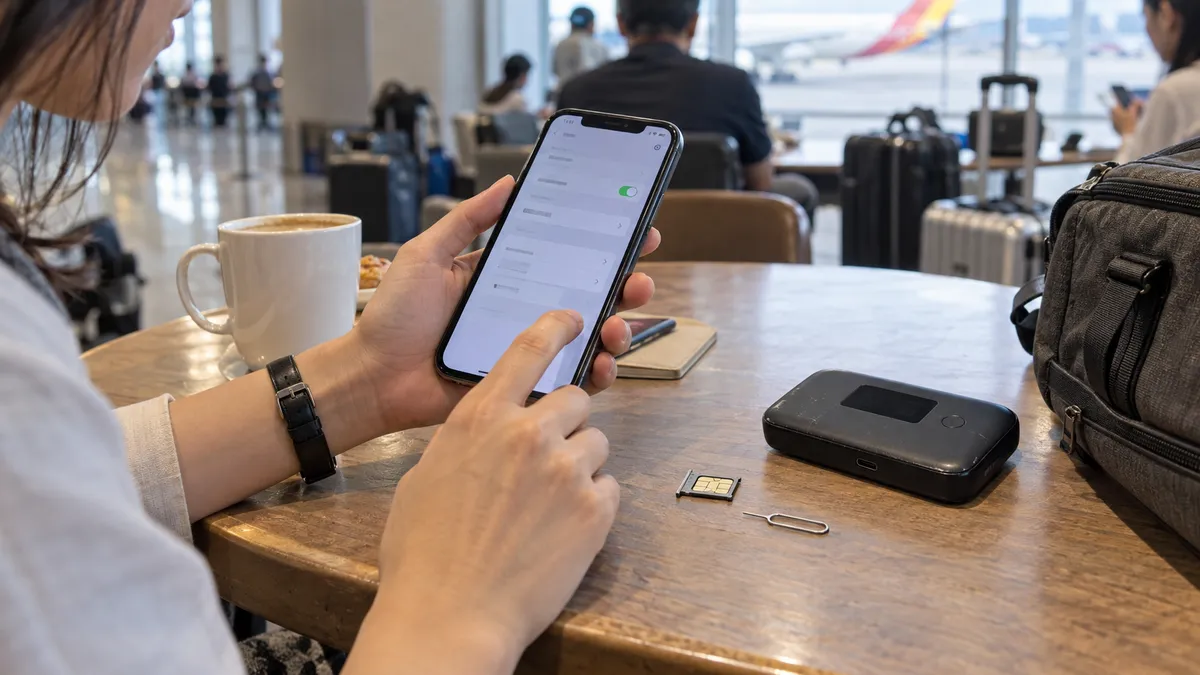
This article contains affiliate links, but it does not assume you will purchase any specific service, and compares options across four axes: device compatibility, phone number, data allowance, and support. Prices, data caps, post-unlimited speeds, and Japanese-side conditions such as Rakuten Mobile are subject to change, so always prioritize what is displayed on the sign-up screen on the day.
Bottom line first: how to choose among 4 types
- eSIM: Short trips, solo travel, data-focused use on a compatible device
- Local SIM: You need a local number, staying for a longer period, and can register in person at an official store
- Wi-Fi router: Family or group on the same itinerary. Not ideal when traveling separately
- Using your Japanese plan abroad: For a small amount of backup data. Check your data allowance and overage terms with your carrier
Conclusion: Which one suits you? A quick chart of recommendations by type
Before getting into the fine comparisons, it's faster to see the conclusion first. Find the type closest to you in the chart below.
| People like this | Recommended | Reason |
|---|---|---|
| 3–7 day short trip, solo travel | eSIM | Buy in advance and it works the moment you arrive. Prices vary by plan, data allowance, and exchange rates. Check the total cost and speed limits on the purchase screen |
| Phone doesn't support eSIM, not good with settings | Local SIM (airport) / WiFi rental | You can leave it to the staff; just insert it |
| Long stay of 2 weeks or more, need a phone number | Local SIM (Viettel shop) | Comes with a number, easy to top up, stable connection quality |
| Family or group travel | WiFi rental | One device can be shared by everyone and is cheaper |
| Only light use / already using Rakuten Mobile | Tethering (Rakuten Mobile, etc.) | Depending on your contract terms, you may be able to use your overseas data allowance. Check the latest allowance and overage conditions |
| Working mainly from cafés | Free WiFi + backup connection | Vietnam has plenty of café WiFi. Having an eSIM as backup gives peace of mind |
"Short trip: eSIM; long stay: local SIM; many people: WiFi rental" — think first along these three axes and you won't go wrong. Below we dig into each option.
One more thing to keep in mind is "when you'll need the internet." In Vietnam you'll often use Grab (a ride-hailing app) to get around, and this is a service you'll want to use right after landing at the airport. To move smartly and avoid taxi fare negotiations, ideally you're connected the moment you arrive. That's why, rather than lining up to buy a SIM on the ground, it's better to set up an eSIM in Japan or choose an option you can pick up right in the arrivals lobby, so you don't stumble on your very first ride. Choose your option based on "can I call a Grab the moment I land," and your satisfaction changes greatly.
Short trip: eSIM; long stay: local SIM; large groups: WiFi rental. On top of that, having "a state of being connected the moment you arrive" ready is what separates the satisfied from the frustrated.
Local SIM | Buy at the airport or a Viettel shop (for medium-to-long stays)
A local SIM means using a Vietnamese carrier's line directly. Connection quality is stable and you can have a phone number too, so it suits people staying a long time or using calls or SMS verification locally.
The differences among the big three carriers to know first
Vietnam's mobile lines center on three companies: Viettel, Mobifone, and Vinaphone. When a traveler chooses a SIM, which of these three you use affects quality.
| Carrier | Characteristics | Suited to |
|---|---|---|
| Viettel | The military-affiliated top player. Signal reaches rural areas, mountains, and remote islands. The strongest coverage in the country | People who tour rural areas too, like Ha Long Bay, Sapa, and remote islands |
| Mobifone | Well regarded for high-speed connections in urban areas. Comfortable if you center on Ho Chi Minh City and Hanoi | People whose stay is mainly in cities |
| Vinaphone | Stable in urban areas. A wide range of price plan options | People centered on cities who prioritize value |
For trips with a lot of movement, or an itinerary that ventures a bit beyond Da Nang, it's safe to go with Viettel for its wider signal. Conversely, if you'll spend your time only within the cities of Ho Chi Minh City or Hanoi, there's almost no perceptible difference between the carriers.
Buying at an airport counter (the easiest)
In the arrivals lobbies of Noi Bai International Airport (Hanoi) and Tan Son Nhat International Airport (Ho Chi Minh City), SIM sales counters line up. Show your passport, say "staying X days, lots of data," and they'll insert it on the spot and even complete activation.
The advantage is that it's completely hassle-free. Many counters have staff who speak Japanese or English, so even people uneasy about settings can feel at ease. On the other hand, prices may be set higher than at city shops, and plans tend to lean toward large tourist-oriented packages. It's just right for short-stay travelers who "want to skip all the bother."
Two things to watch on the spot. One: before leaving the counter, always have them let you test that the connection works. If you open a maps app and it loads, you're fine; if it doesn't connect, they can fix it right there. Two: there are time slots, like late-night flights, when the counters are closed. For a late arrival, having an eSIM ready in advance frees you from being at the mercy of your arrival time. Also, depending on the flight, the arrivals lobby can get crowded and lines may form at the SIM counter. If you want to move even a little faster, an eSIM you can set up in Japan still has the edge.
For a late-night flight, the airport SIM counter may be closed. On days with a late arrival, putting in an eSIM in Japan before departure is the sure bet.
Buying at a city Viettel shop or convenience store (cheaper and reliable)
Each carrier has official shops in the city, where you can buy a SIM at calmer prices than at the airport. Being official shops, registration is done properly, and trouble is less likely too. In Vietnam, identity verification at SIM contract time has grown stricter year by year, and in addition to presenting your passport, facial-recognition registration is now required. The latest rules on the procedure are compiled in a separate article 👉 Facial authentication for Vietnamese SIMs — the 2026 new rules and their impact on travelers. At an official shop, staff carry out this registration correctly, so you can feel at ease.
Shops are in city centers and inside large shopping malls, and more stores have English-speaking staff. You choose a plan based on your number of days and how you'll use it, like "7 days, lots of data" or "30 days, with calls." If sightseeing is the main purpose, a data-focused plan without calls is plenty. A common mistake is guessing at a Vietnamese-named plan and ending up short on data. The sure approach is to tell them your number of days and that you "want to use it mainly for data," and have the staff pull up a plan that fits.
Even if you use up your data, you can add capacity via "nap tien (top-up)" from a shop, an app, or a convenience store. For a long stay, rather than buying a big plan at the start, it wastes less to add as needed. Whether you can top up varies by plan, so ask "can I add later" at the time of purchase to be safe.
Prices vary by timing, data volume, and identity verification method. They are not always cheaper than Japanese roaming, so compare the total cost of your trip, speed limits, and whether top-ups are possible under the same conditions. For most recent devices, nanoSIM is standard, and a shop can cut the SIM to fit your device. One important point: in Vietnam, contracts require real-name registration and identity verification. Tourists who buy cheap SIMs at roadside stalls that advertise "no registration required" risk the SIM suddenly stopping working. Even if it costs a little more, buying from a legitimate counter—such as an airport counter or official store—that properly registers the SIM is ultimately the safest option.
eSIM | A strong option for short trips (decide based on device and number needs)
An eSIM is a mechanism that writes data to a SIM built into the phone itself, so no swapping of a physical SIM card is needed. Buy and set it up online while still in Japan, and the internet works the moment you arrive in Vietnam and turn on your phone. For short trips where you "don't want to line up at the airport" or "want to open the map right after arriving," this is the most comfortable.
eSIM benefits and points to note
The biggest appeal is ease and speed. There's no SIM swapping, so no worry of losing it, and you can use two lines while keeping your Japanese SIM, so your Japanese phone number and LINE stay live. You can receive contact from family or work on your Japanese number while switching data communication to a cheap eSIM. Prices also often come in cheaper than WiFi rental, from a few hundred yen a day.
Choose capacity by "how much you use in a day." For maps, social media, and occasional searches, 500MB–1GB a day is a guideline. If you watch a lot of video or tether a PC too, an unlimited-leaning plan of 2GB or more a day gives peace of mind. Many eSIMs are sold in blocks matched to your days, like "3 days," "5 days," or "7 days," so picking days close to your itinerary keeps you from over- or under-buying. Choosing a service where you can add capacity from an app means you won't be stuck if you run short on the ground.
Two cautions. One: many travel eSIMs are data-only and don't come with a local phone number (if you need calls or SMS verification, a local SIM is better suited). Two: you need an eSIM-compatible phone. iPhones from the XS on, and on Android devices like Pixel and newer Galaxy models, are compatible, but some devices bought from Japanese carriers can't be used due to SIM lock or specs. Checking is easy: on an iPhone, if "Settings → Cellular" shows "Add eSIM" or "Add Cellular Plan," you're fine. Getting this one bit of prep done before departure saves you panic on the ground.
Comparing major eSIMs by type
We've lined up the eSIMs travelers often choose from the standpoint of a trip to Vietnam. Prices vary by plan and season, so here we compare by "who each suits."
| Item | Saily | JAPAN&GLOBAL eSIM | Local carrier's eSIM |
|---|---|---|---|
| Type | Data-only eSIM | Data-only eSIM | Local-line eSIM |
| Sign-up | In advance via a dedicated app / web | In advance on the web | Local shop or official app |
| Activation | Ready as soon as you arrive by scanning a QR | Ready as soon as you arrive by scanning a QR | Requires setup and procedures on the ground |
| Phone number | Data-centered (calls and SMS can be added) | None (data only) | Yes |
| Support | Easy to manage via app | Inquiries OK in Japanese | Mainly in Vietnamese |
| Suited to | A short trip using it simply, prioritizing value | People who want the peace of mind of Japanese support | People on a long stay who need a number |
An overseas eSIM from Nord Security, the maker of NordVPN. Everything from purchase to activation is completed in the app, and from the moment you arrive, maps, translation, and social media run smoothly. You can buy just the amount a short Vietnam trip needs.

An eSIM for overseas travel and business trips. Since you can make inquiries in Japanese, there's less anxiety even if it's your first time setting up an eSIM. You can sign up in advance on the web.

There are two tips when choosing. One: check what "unlimited" actually means. Many unlimited plans throttle speed after a certain amount, so they aren't necessarily fully unrestricted. If you watch video for long stretches, check the post-limit speed and the high-speed allowance for peace of mind. Two: whether you'll tour beyond Vietnam. For a multi-country trip that also visits Thailand or Cambodia, choosing an Asia-wide plan that covers multiple countries saves the trouble of rebuying per country. If it's only Vietnam, a Vietnam-only plan is cheaper.
Beyond those mentioned above, there are many eSIM services such as Airalo, World eSIM, and trifa. If price is your top priority, app-based international services are a good fit; if you want to handle setup and payment entirely in Japanese, domestic providers are the rough choice. If you're new to eSIMs and feeling uncertain, using "is Japanese-language support available" and "can I check my remaining data instantly in the app" as your criteria will help you avoid mistakes—and once you're comfortable, you can start choosing by price or promotions. Either way, you don't need to sign up far in advance; some products can be purchased at the last minute, but to be safe in case of device compatibility issues or installation problems, set everything up by the day before departure on a stable Wi-Fi connection in Japan.
Let's also get a sense of cost. For a 3–5 day short trip, an eSIM generally comes in around a coin's worth to a thousand-something yen, and a local SIM is about the same level. WiFi rental is pricier than these, but split among people the per-person cost comes down. Tethering with Rakuten Mobile and the like runs from 0 to a few hundred yen extra but has limited capacity. Thinking in terms of "cheap and light: eSIM; everyone together with zero setup hassle: WiFi rental" makes choosing easier.
For those wondering "how does Saily actually perform in Vietnam?", we verify the coverage area and usability in detail in a separate article. Please read it together 👉 Is Saily recommended in Vietnam? Verifying whether it works locally
eSIM setup is these three steps
- Scan the QR code you receive after purchase, before departure, from "Settings → Cellular → Add eSIM."
- When you arrive in Vietnam, turn on the added eSIM and enable "data roaming."
- Keep your Japanese line for calls and switch data communication to the eSIM side.
Getting setup done in Japan where there's Wi-Fi is the trick to not panicking on the ground.
WiFi rental | For those anxious about eSIM, or using it among several people
WiFi rental is a method of borrowing a mobile router and carrying it around. Since you can connect multiple devices just by turning it on, it suits people not confident with settings, or families and groups wanting to share one device.
The advantage is that no difficult settings are needed and you can connect a phone, tablet, and PC at once. It's a reassuring choice for family trips with children or for people using multiple devices on business. On the other hand, there's the bother of carrying and charging the router body, it's weak for splitting up since everyone hangs off one device, and the price tends to be higher than an eSIM.
Pickup is generally at a Japanese airport counter or delivery to your home. Reserve before departure, pick it up at the airport, and just drop it in a return post box after returning home. There are no difficult procedures. When choosing, pick a Vietnam-only line plan if it's just Vietnam, or a worldwide plan if you'll also tour nearby countries, to avoid waste.
Pricing is basically a flat daily rate, and capacity varies by plan, such as "unlimited" or "500MB a day." Split it with family or colleagues and the per-person burden drops sharply. Conversely, for a solo trip where you don't use much data, the bother and cost of carrying a router often don't pay off, and an eSIM is lighter and cheaper. Choosing by weighing it against an eSIM based on "how many people and how much you'll use" is the trick to not going wrong. Also, adding an insurance option at sign-up keeps the compensation amount down if you damage or lose the router, so it's worth considering for trips with children.
A practical caution in actual use is the router's battery. Left connected all day, it can run out by evening, so carrying a mobile battery alongside gives peace of mind. Also, if you get separated from the person holding the router, the others can't use the internet, so it doesn't suit groups that split up often. It's most powerful for "family trips where everyone moves on the same itinerary." "eSIM settings feel a bit worrying," "I just want to bundle everyone's — " keep it in mind as a reassuring option for such times.
A mobile router that connects multiple devices together just by turning it on. You pick it up at a Japanese airport and just drop it in a return post box after returning home, so it suits people not good with settings or families and groups wanting to share one device. It's a Vietnam-only line, and unlimited-capacity plans are available too.

Tethering | The option of getting by "as is" with Rakuten Mobile and the like
There is also the option of using your current smartphone's overseas data without signing a new contract. The most notable example is Rakuten Mobile. In supported overseas areas, depending on your contract terms, you may be able to use your overseas data allowance. Check the latest allowance and overage conditions, and you can also share that data via tethering with other devices. Vietnam is included in the supported areas.
It's easy to use as well — when you arrive on the ground, just turn on data roaming in settings. No complex APN settings needed. However, 2GB disappears in no time when using maps and social media. Exceeding it incurs extra charges, and there are voices saying the connection is unstable in rural areas. It's for light use where "a few days' trip with maps and staying in touch is enough."
Rakuten Mobile's 2GB disappears in 2–3 days if you keep using a maps app. Rather than making it your main line, having it as an eSIM backup gives peace of mind.
au's povo lets you buy overseas data toppings in advance, and Docomo's ahamo lets you use a set amount of overseas data with no extra charge. The idea for both is the same as Rakuten Mobile — an option for people who "want to get by as an extension of the line they already have." Since data is capped, holding off on auto-backing-up photos or watching video and leaving your main communication to an eSIM or local SIM keeps you from going wrong.
Rather than relying on it fully as your main line, it's realistic to combine it with an eSIM or local SIM as "insurance for just in case."
The free WiFi situation at cafés and hotels | If you'll work outside
Vietnam is a country with a deeply rooted café culture, and almost every café in town has free WiFi. Chains like Highlands Coffee, Cong Caphe, and Trung Nguyen Legend, of course, but WiFi is a given even at individually run cafés. In urban areas the speeds are practical too, and you'll see many travelers and digital nomads handling email and video meetings.
Hotel WiFi is basically free too, and coworking spaces for nomads are increasing in Ho Chi Minh City, Hanoi, and Da Nang. The password is printed on the receipt, or the staff will tell you if you ask. Line speed varies by café — chains and newer shops are reliably fast, while it can slow at busy hours or older individual shops. If you have work you can't drop, like a video meeting, using a chain known for speed or basing yourself at your hotel gives peace of mind.
Chains like Highlands Coffee, The Coffee House, and PHUC LONG have many seats and outlets are easier to find. For long work sessions, a chain or coworking space is comfortable.
One more thing to watch is bag-snatching of your laptop or phone when you leave your seat. Urban Vietnam is relatively safe, but at cafés in tourist areas, not taking your eyes off your belongings is the basic rule. If you linger seeking power and WiFi, keep valuables on you.
If you'll actually work long at a café, you'll want to check for power outlets. Newer chains and cafés with adjoining coworking often have an outlet at each seat, suiting long PC sessions. Seats are hard to secure on a crowded weekend afternoon, so aiming for open times like weekday mornings is comfortable. Many shops have an atmosphere where you can linger over a single order, but if you'll hole up for a few hours, ordering something more is good manners.
The thing to watch is security. Public WiFi anyone can join carries a risk of your communication being snooped, so using a VPN alongside gives peace of mind when doing online banking or important logins. If you "work mainly from cafés and don't use much data," a good balance is centering on free WiFi with a small-capacity eSIM or tethering as backup for when you're on the move. Free WiFi is convenient, but you can't use it while moving or in a hurry, so if there's even a bit of a scene where being cut off would be trouble, we recommend always having one backup connection.
What if you can't connect? Common troubles and how to handle them
Even if you've prepared, there are moments where you panic "it won't connect" on the ground. Most causes narrow down to a few patterns, so knowing them beforehand lets you handle it calmly.
You put in the eSIM but the internet doesn't work
The most common is "data roaming still off." Selecting the added eSIM side in settings and turning on data roaming usually gets it connected right away. If that still doesn't work, check that "Cellular Data" that selects the line is set to the eSIM side and that airplane mode isn't still on.
You swapped in a local SIM but have no signal
After reinserting a SIM, restarting is basic. If there's still no signal, the APN (connection point) settings may not have been entered automatically. Telling the staff "please complete the settings" at purchase prevents this bother. It can also just be a weak signal in a rural area or deep inside a building, in which case a Viettel line has the edge.
Your data ran out faster than expected
Keeping a maps app displayed constantly, video, and auto cloud backup of photos eat far more data than you'd imagine. Set backups to Wi-Fi only and save maps offline in advance to conserve. If capacity is a worry, add via top-up for a local SIM or by buying an add-on plan for an eSIM.
You can't receive SMS verification
Since a data-only eSIM has no phone number, you can't receive SMS verification for Japanese bank apps and the like unless you keep your Japanese SIM. If you keep your Japanese physical SIM on alongside the eSIM, you can receive verification SMS on your Japanese number. Completing necessary logins and verifications before departure saves you panic on the ground.
Tethering won't connect
When other devices won't connect via tethering with Rakuten Mobile or the like, first check that the parent phone itself is connected to the internet. If the parent is in range, turning the Personal Hotspot (tethering) setting off and back on often improves it. Overseas, some budget plans restrict tethering, so if worried, test tethering once at home before departure to be sure.
If you suddenly need internet on the ground
Even if you forget to prepare, in Vietnam you can manage on the ground. You can buy a physical SIM at the airport or a shop, and with an eSIM-compatible device you can connect to a café's free WiFi and buy and activate an eSIM online right there. Even in the worst case you won't be stuck, so there's no need to worry excessively. That said, to avoid trouble with ride-hailing or maps right after arrival, having an eSIM ready before departure is the smartest.
Final recommendations by scenario and a pre-departure checklist
With all of the above in mind, here's a summary by scenario of "choose this and you won't go wrong."
- 3–7 day short trip, solo travel: eSIM. Usable right after arrival and cheap. If anxious about settings, choose one with Japanese support
- 2 weeks or more, using a phone number too: Local SIM (Viettel shop). You can use it long while topping up
- Family or group: WiFi rental. One device covers everyone
- Light users for whom maps and staying in touch is enough: Tethering with Rakuten Mobile and the like (an eSIM as insurance gives peace of mind)
- Nomads centered on café work: A combination of free WiFi + a small-capacity eSIM
Finally, a pre-departure checklist.
□ Checked that my phone supports eSIM (if using an eSIM for a short trip)
□ Bought an eSIM and completed scanning the QR in Japan
□ Local SIM users: prepared a passport (needed for identity verification)
□ Chose a Viettel line if planning to go to rural areas
□ Prepared a VPN if I might do important logins on public WiFi
Get the timing of preparation down too. For an eSIM, buy it a few days to the day before departure and complete scanning the QR in Japan, and on the day you just turn on your phone. Local SIM users can complete it on the ground by bringing a passport. WiFi rental can be applied for even at the last minute, but in busy periods like consecutive holidays or Tet (Lunar New Year), stock moves, so early reservation gives peace of mind. What's common across all is that "getting done what you can while still in Japan" is the trick to making things smoothest after arrival. A bit of effort before departure greatly affects your comfort on the ground.
Once your internet environment is set, the comfort of a Vietnam trip goes up a notch. Choose the best move to match your own travel style.
Frequently asked questions
- What's the most recommended SIM in Vietnam?
-
For a short trip, an eSIM; for a long stay of two weeks or more, a local SIM (Viettel) is the basic choice. An eSIM is usable the moment you arrive and is easy, while a local SIM comes with a phone number and has a stable connection.
- Which is cheaper, an eSIM or a local SIM?
-
For a short trip, both are about the same level, from a few hundred to a thousand-something yen. An eSIM can be set up in Japan with little hassle, while a local SIM's strength is that you can use it long while topping up.
- Can I buy a SIM at the airport?
-
Yes. There are counters in the arrivals lobbies of Noi Bai and Tan Son Nhat. However, for late-night flights they may be closed, so on days with a late arrival, having an eSIM ready in Japan gives peace of mind.
- Can I use Rakuten Mobile in Vietnam?
-
Whether overseas use is available, the overseas data allowance, and the speed and charges after exceeding the limit all vary by contract plan. Check before departure via official channels such as my Rakuten Mobile to confirm whether Vietnam is a covered region, and use it as a backup line if needed.
- Does an eSIM come with a phone number?
-
Many travel eSIMs are data-only, but depending on the service, some let you add a plan for calls and SMS. For SMS verification on a Japanese number, you can receive it by keeping your Japanese SIM.
- Can I use the internet in rural areas and on remote islands too?
-
Urban areas and major tourist spots are comfortable with any option. In mountainous areas and on remote islands the signal can weaken, so if you tour rural areas, a Viettel line with wide coverage has the edge.
Summary: Start by asking whether you need a phone number
If you don't need a local number and your device is compatible, eSIM is the option; if a number or long-term use matters, go with a properly registered local SIM; and if everyone is on the same itinerary, a Wi-Fi router is a candidate. Before purchasing, check SIM lock status, eSIM compatibility, identity verification requirements, tethering availability, and speed limits after the unlimited threshold.
In case you can't connect on arrival, save your accommodation address, booking number, and how to get from the airport offline. Also check your main line's data roaming settings to prevent unintended charges on your Japanese plan.